How to apply the English translation patch for Far East of Eden: Ziria on Linux
Far East of Eden: Ziria (known in Japan as Tengai Makyou: Ziria) is a magnificent RPG for the PC Engine CD (TurboGrafx-CD) that was originally released only in Japanese. Fortunately, the community has created a patch to translate it into English. Although the official instructions are only designed for Windows, here I explain how to do it natively on Linux for future reference.
I bought the physical game for €27.90 on eBay; a quite reasonable price for one of the great “hidden gems” of the system.
1. Installing the necessary tools
You will need the xdelta3 tool to be able to apply the binary patch. You can easily install it with your distribution’s package manager:
On Debian and derivatives (Ubuntu, Linux Mint, etc.):
$ sudo apt install xdelta3
On Fedora:
$ sudo dnf install xdelta3
On openSUSE:
$ sudo zypper install xdelta3
2. Downloading the patch
First, download the most recent version of the translation patch from Stargood (version 1.2 is the current one at the time of writing this guide):
$ wget -c "[https://stargood.org/trans/files/Tengai](https://stargood.org/trans/files/Tengai) Makyou - Ziria EN [v1.2].zip"
Next, unzip the downloaded file:
$ unzip "Tengai Makyou - Ziria EN [v1.2].zip"
3. Preparing the game files
Assuming you have the original game image (specifically Revision 7 or 1.7), place it in the same directory as the patch and unzip it if it is in a compressed archive:
$ 7z e "Far East of Eden - Tengai Makyou - Ziria (Japan) (Rev 7).7z"
You will get the following files in split format (a .cue file accompanied by several .bin tracks):
Far East of Eden - Tengai Makyou - Ziria (Japan) (Rev 7) (Track 1).binFar East of Eden - Tengai Makyou - Ziria (Japan) (Rev 7) (Track 2).binFar East of Eden - Tengai Makyou - Ziria (Japan) (Rev 7) (Track 3).binFar East of Eden - Tengai Makyou - Ziria (Japan) (Rev 7) (Track 4).binFar East of Eden - Tengai Makyou - Ziria (Japan) (Rev 7) (Track 5).binFar East of Eden - Tengai Makyou - Ziria (Japan) (Rev 7) (Track 6).binFar East of Eden - Tengai Makyou - Ziria (Japan) (Rev 7).cue
Copy all the extracted .bin files to the splitbin_patch folder that was created when unzipping the translation patch:
$ cp *.bin splitbin_patch/
Then, delete the leftover files to clean up the working directory:
$ rm -rf *.zip *.7z *.txt auto_patch \
    redump_patch/*.exe redump_patch/*.cue \
    "redump_patch/Tengai Makyou - Ziria EN [v1.2-rev6] Redump.xdelta" \
    "Far East of Eden - Tengai Makyou - Ziria (Japan) (Rev 7)"* \
    splitbin_patch/*.bat splitbin_patch/*.exe
In the end, the file structure in the working folder should look like this:
├── redump_patch
│   └── Tengai Makyou - Ziria EN [v1.2-rev7] Redump.xdelta
└── splitbin_patch
    ├── Far East of Eden - Tengai Makyou - Ziria (Japan) (Rev 7) (Track 1).bin
    ├── Far East of Eden - Tengai Makyou - Ziria (Japan) (Rev 7) (Track 2).bin
    ├── Far East of Eden - Tengai Makyou - Ziria (Japan) (Rev 7) (Track 3).bin
    ├── Far East of Eden - Tengai Makyou - Ziria (Japan) (Rev 7) (Track 4).bin
    ├── Far East of Eden - Tengai Makyou - Ziria (Japan) (Rev 7) (Track 5).bin
    ├── Far East of Eden - Tengai Makyou - Ziria (Japan) (Rev 7) (Track 6).bin
    └── Tengai Makyou - Ziria EN [v1.2] SplitBin.cue
4. Applying the patch via script
Inside the splitbin_patch directory, create a file called apply_patch.sh and paste the code below. This script adapts the process of the original .bat file so that it works natively on Linux:
#!/usr/bin/env bash

# Output and temporary file names
OUTPUT_BIN="Tengai Makyou - Ziria EN [v1.2] SplitBin.bin"
TEMP_BIN="Tengai Makyou - Ziria EN [v1.2-rev7] SplitBin.bin"

# 1. Cleanup: if the final file from a previous attempt already exists, delete it
if [[ -f "$OUTPUT_BIN" ]]; then
    rm "$OUTPUT_BIN"
fi

# 2. Track concatenation (equivalent to the Windows 'copy /b' command)
cat "Far East of Eden - Tengai Makyou - Ziria (Japan) (Rev 7) (Track 1).bin" \
    "Far East of Eden - Tengai Makyou - Ziria (Japan) (Rev 7) (Track 2).bin" \
    "Far East of Eden - Tengai Makyou - Ziria (Japan) (Rev 7) (Track 3).bin" \
    "Far East of Eden - Tengai Makyou - Ziria (Japan) (Rev 7) (Track 4).bin" \
    "Far East of Eden - Tengai Makyou - Ziria (Japan) (Rev 7) (Track 5).bin" \
    "Far East of Eden - Tengai Makyou - Ziria (Japan) (Rev 7) (Track 6).bin" > "$TEMP_BIN"

# 3. Applying the patch with xdelta3
xdelta3 -d -s "$TEMP_BIN" "../redump_patch/Tengai Makyou - Ziria EN [v1.2-rev7] Redump.xdelta" "${TEMP_BIN}_patched"

# 4. Finalization: delete the temporary file and rename the patched file
if [[ -f "$TEMP_BIN" ]]; then
    rm "$TEMP_BIN"
fi

mv "${TEMP_BIN}_patched" "$OUTPUT_BIN"

echo "The patch has been applied successfully."
Grant execution permissions to the apply_patch.sh script and run it:
$ chmod +x splitbin_patch/apply_patch.sh
$ cd splitbin_patch && ./apply_patch.sh
This script has not been tested on other operating systems (e.g., MacOS or FreeBSD), but it should function properly on any platform where Bash and xdelta3 are available.
5. Final result
If the process has finished successfully, you will find these two files in your splitbin_patch folder:
Tengai Makyou - Ziria EN [v1.2] SplitBin.binTengai Makyou - Ziria EN [v1.2] SplitBin.cue
Both files make up the translated game. You will need them to play on your favorite emulator (such as Mednafen) or to burn them to a CD and play on the original hardware.
5.1. Translated game gallery
This is what this PC Engine classic looks like with the texts translated into English:
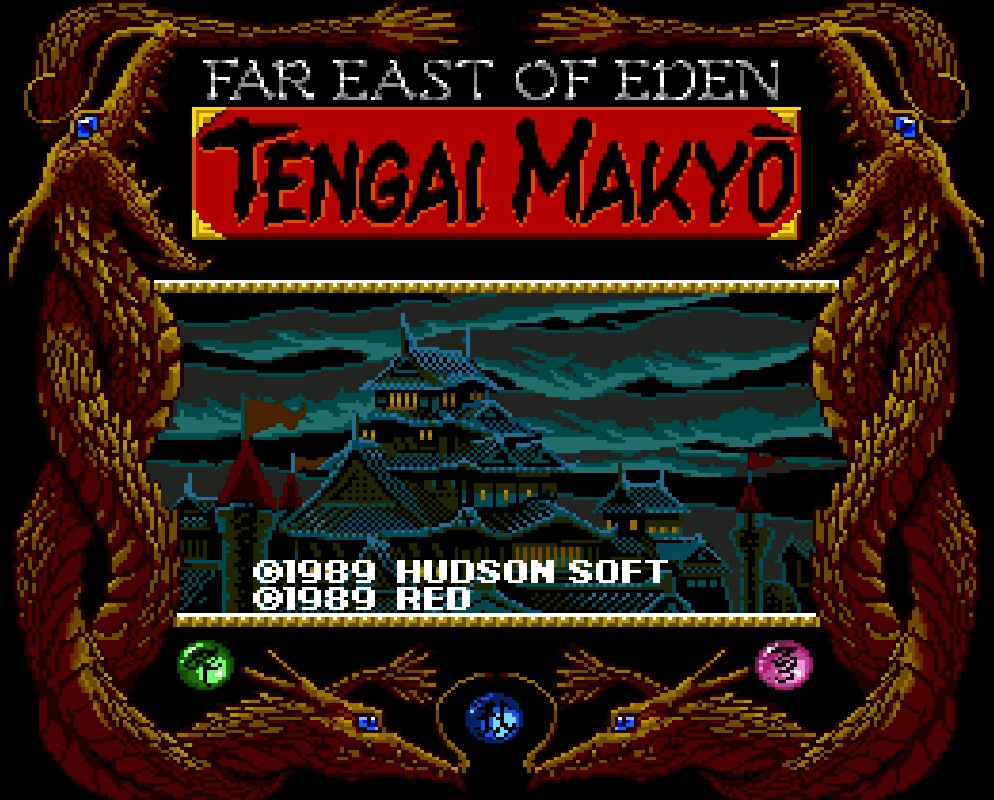
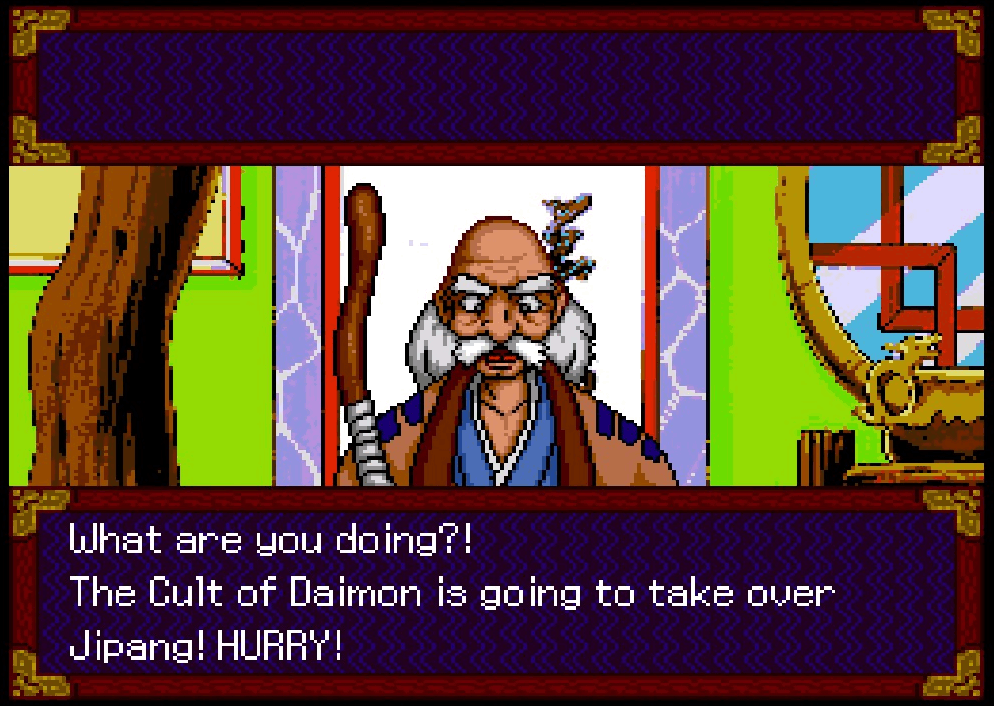
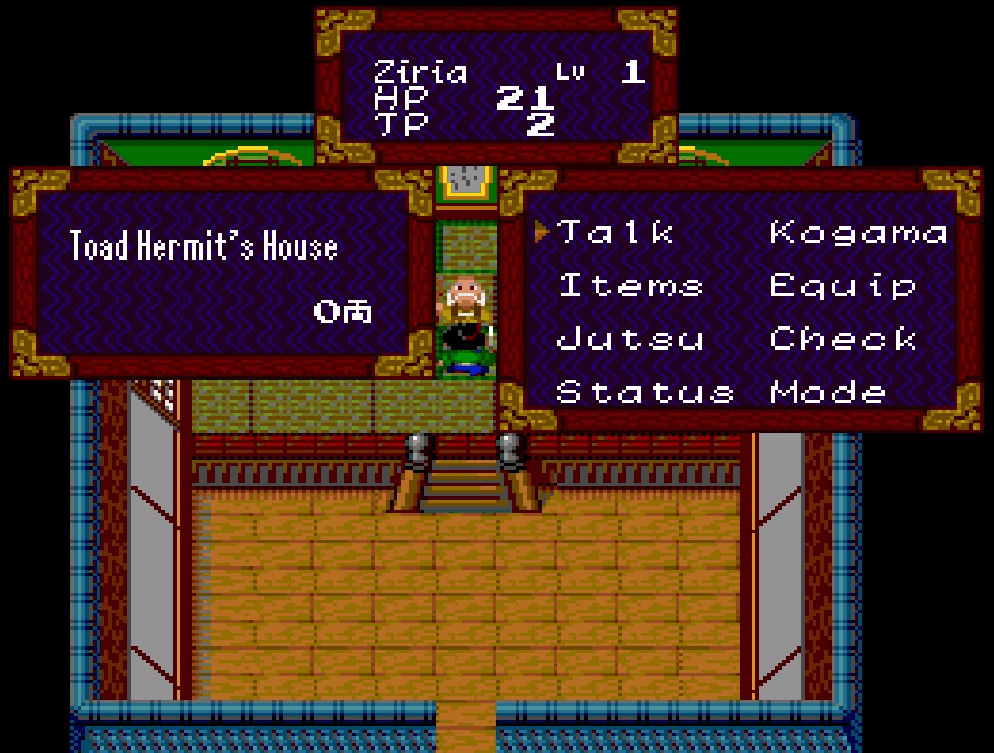
All images and screenshots included in this article belong to the video game Far East of Eden: Ziria (known in Japan as Tengai Makyou: Ziria). This title was originally developed by Red Company and published by Hudson Soft for the PC Engine CD system in 1989.
The graphic material is reproduced in this tutorial for strictly informational, educational, and technical review purposes, under the right of quotation established in the Spanish Intellectual Property Law (Art. 32.1). All copyright and intellectual property rights of the original game belong to their respective creators and legal distributors.
Furthermore, it is acknowledged that the aforementioned English translation patch is a non-profit derivative work created by the fan project Stargood Translations.